
Read your own books
Bring EPUB books and supported text into a personal library, then return to your saved reading position.
 Translation Books
Reading + languages / iPhone & iPad
Stay with the story. Find the meaning.
Keep reading when an unfamiliar word appears. Translation Books puts a translation and pronunciation beside the text, so a new language can become part of the story.
On the App Store
01 / Why it exists
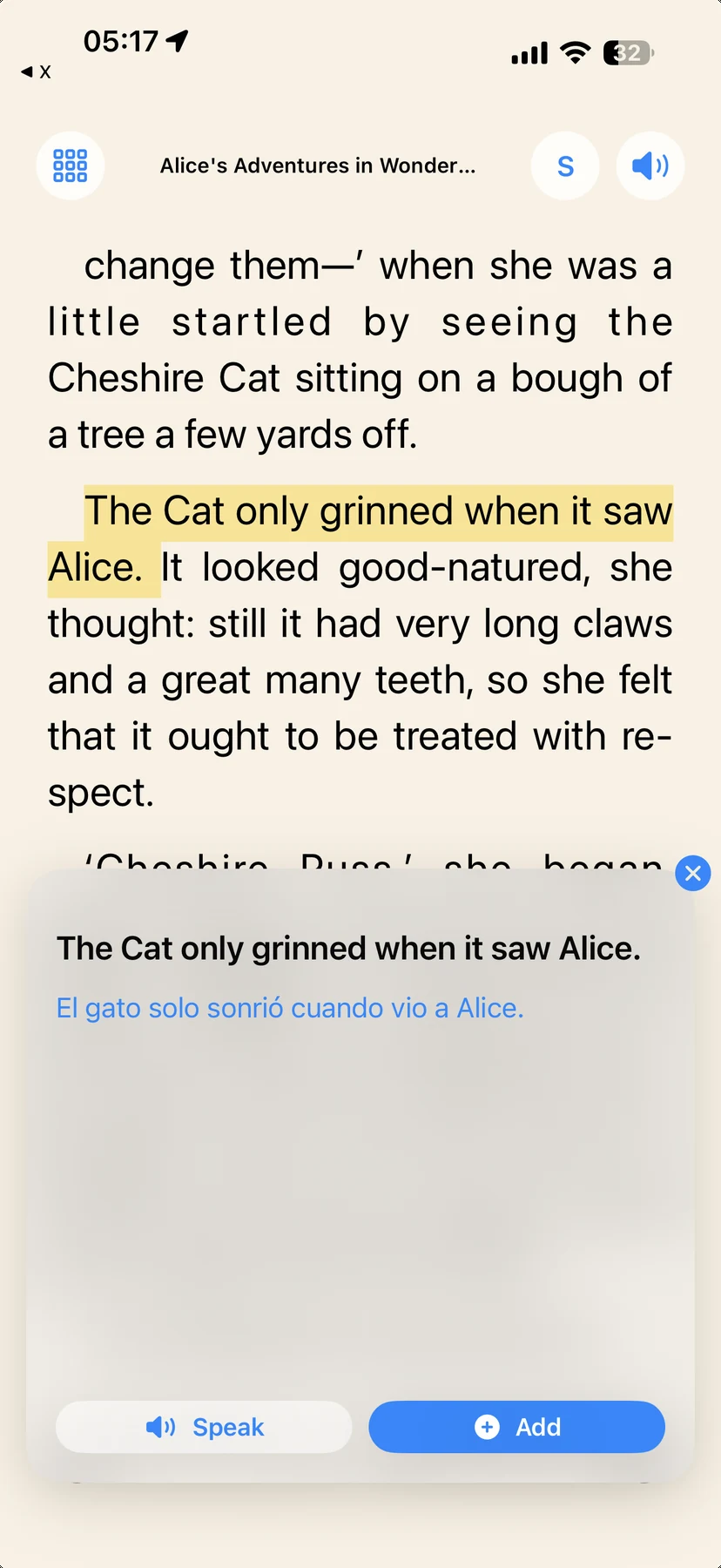
Choose a book you want to read, tap a word or sentence, and continue with its meaning in view. The library and reading position stay close to the reading experience, instead of turning every page into a trip to another app.
Bring EPUB books and supported text into a personal library, then return to your saved reading position.
Choose a word or sentence without leaving the reader. Keep the surrounding text close to its meaning.
Hear the original text with speech support and adjust the reader to suit a longer session.
02 / A closer look
See the interface in detail.
Open any image to explore it.
03 / In practice
Open a book from your library or import your own EPUB.
Select a word or sentence to see its translation.
Listen to the original text and return to your reading position.
Books, settings, and reading progress are stored on your device. They are not sent to a developer-operated book server.
The app’s published privacy policy describes its current translation and local-data practices. Review it together with the version you install.
Only information you choose to send in a support email reaches the developer. Do not attach private or copyrighted book files.
05 / Get started
Open the App Store to see the current release and device requirements.
View on the App Store ↗A question about the app?
Setup, everyday use, and a direct way to get help.
Help & support ↗Contact the developer ↗