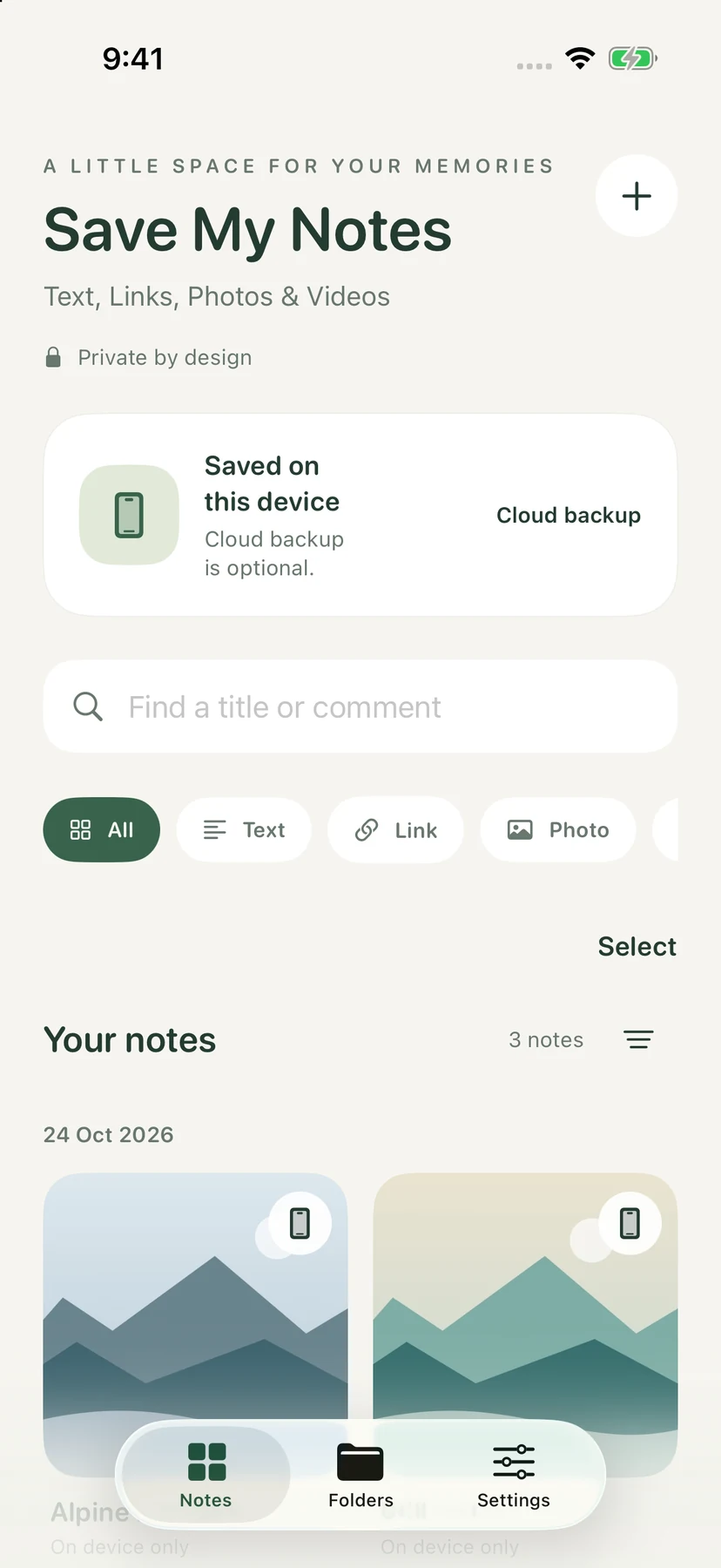

One library, many formats
Save text, links, photos, videos, and general file attachments. Use folders and filters to make the collection easier to browse.
 Save My Notes
Private notes / iPhone & iPad
A little space for what matters.
The useful things you save deserve a home. Gather notes, links, images, videos, and documents in one calm library, with folders and a clear choice about cloud backup.
Available on request
01 / Why it exists
A photo, a paragraph, a link, or an attachment can all belong to the same idea. Save My Notes brings those pieces together without forcing them into one format. Keep the library on your device, and enable encrypted backup when you want it.
Save text, links, photos, videos, and general file attachments. Use folders and filters to make the collection easier to browse.
Originals and metadata use authenticated encryption. Protected folders add an access check for the material you choose.
Use the Share Extension to collect items from other apps, then review them in your library.
02 / A closer look
See the interface in detail.
Open any image to explore it.
03 / In practice
Add a note or use the system share sheet.
Use folders and type filters to give saved material a place.
Stay local or sign in to enable encrypted cloud backup.
Notes, attachments, and metadata are encrypted on the device. A recovery key is sensitive and must be kept private.
Account-backed backup uses Sign in with Apple. The service stores encrypted objects and account, quota, and sync metadata; the library key is not sent to the service.
Preview and Share decrypt the selected content for the action you request. Recipients and exported copies are outside the app’s encrypted library.
05 / Get started
This independent application is available on request. Tell me what you want to use it for and which device and OS version you have.
Request access ↗A question about the app?
Setup, everyday use, and a direct way to get help.
Help & support ↗Contact the developer ↗