Choose the boundary
Use protected or read-only folder rules for the locations that need attention.
 Data Protection
File protection / macOS
Put a boundary around important files.
Keep sensitive work within a clear set of application rules. Data Protection brings protected folders, app policies, and an access journal into a native Mac interface.
Available on request
01 / Why it exists
Some files need a more deliberate access policy than the rest of your Mac. Select the folders that matter, define trusted applications, and use the event journal to see how those rules affect file operations.
Use protected or read-only folder rules for the locations that need attention.
Manage application access policies together, including explicit exceptions for trusted workflows.
Review file events, application identities, and allow or deny decisions in the journal.
02 / A closer look
See the interface in detail.
Open any image to explore it.
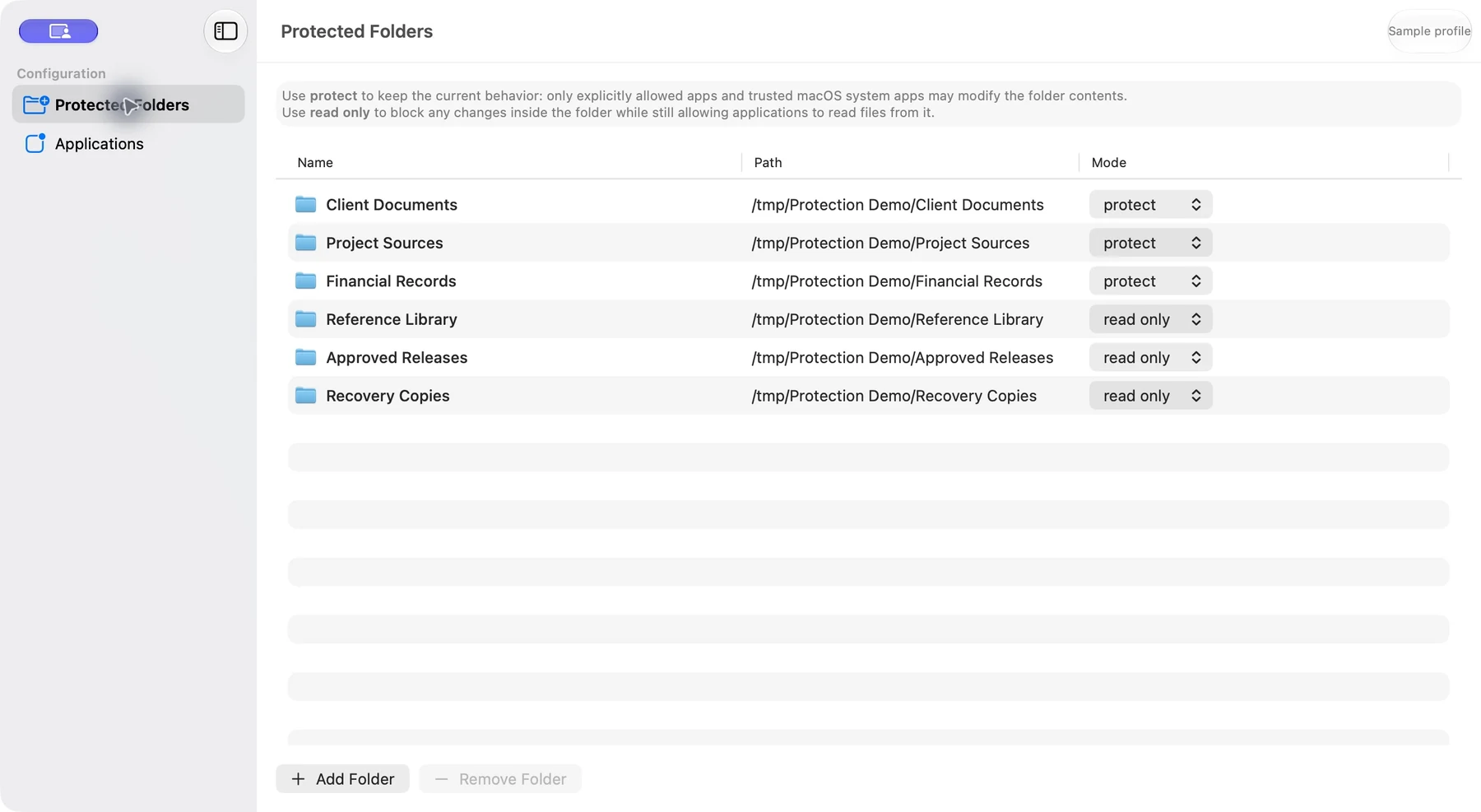
Client documents, source code, and financial records use protect. Reference material, approved releases, and recovery copies use read only.
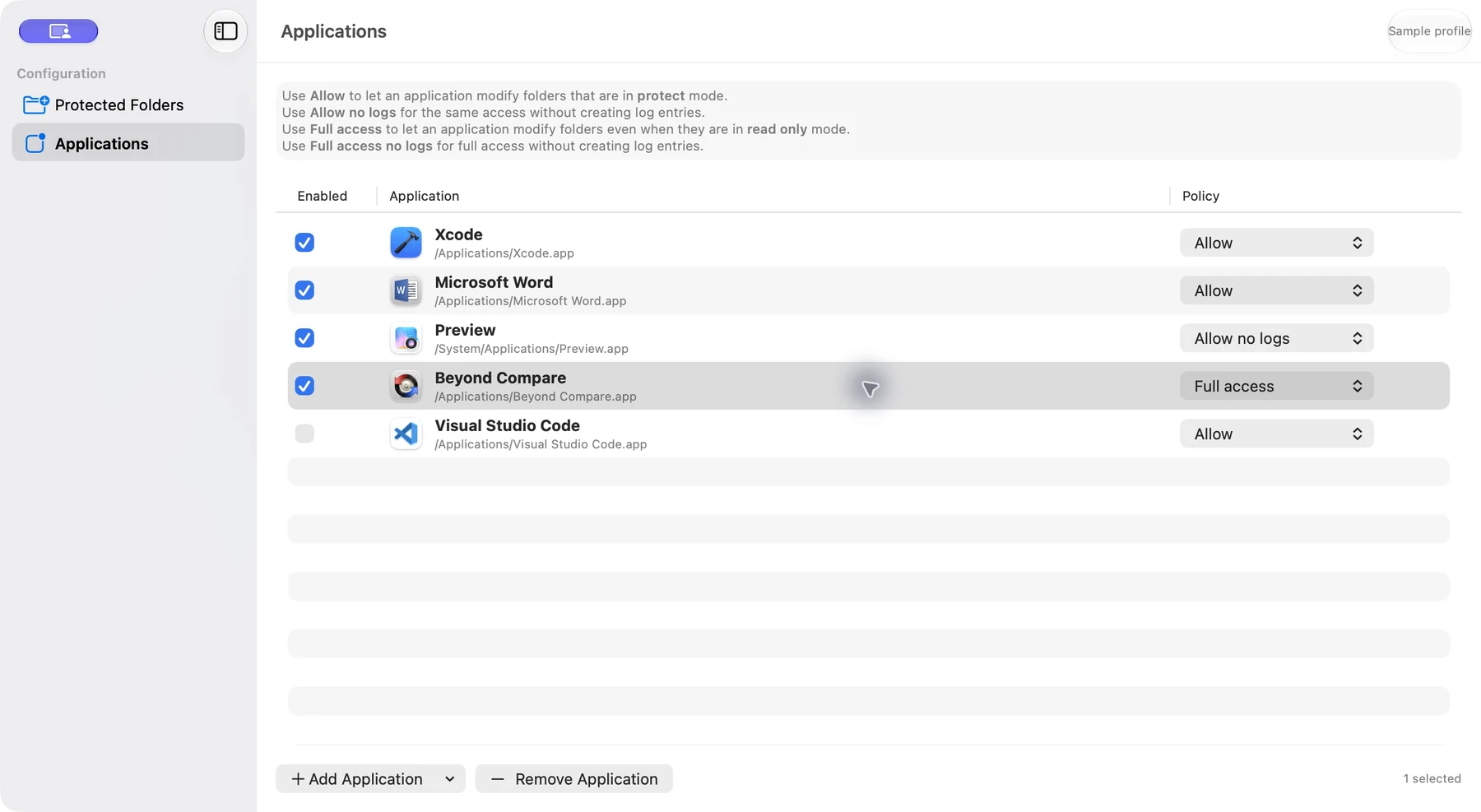
Xcode and Word use Allow. Preview uses Allow no logs. Beyond Compare has an explicit Full access exception, and the Visual Studio Code rule is disabled.
03 / In practice
Choose the locations you want to protect.
Review the applications that should work with those files.
Inspect recorded file operations and the rule used for each decision.
Folder paths and application rules are stored locally. These paths can identify private projects or documents.
The local journal records process and file metadata, access decisions, and the matching rule. It is not a document-content backup.
Background protection needs macOS service permissions. Review event logs before sharing them with support.
05 / Get started
This independent application is available on request. Tell me what you want to use it for and which device and OS version you have.
Request access ↗A question about the app?
Setup, everyday use, and a direct way to get help.
Help & support ↗Contact the developer ↗