Protect your files
Set path rules for read, write, read only, or deny. Use explicit defaults to define the boundary around a model workflow.
 AI Guard
Local AI protection / macOS
Local AI. Your boundaries.
Use local AI with deliberate boundaries around your data. AI Guard brings file permissions, network rules, and related application components into one place.
Available on request
01 / Why it exists
A local model still runs through applications, helpers, and child processes. AI Guard is built around that complete application scope: define what it may read, what it may change, and where it may connect, then review its activity in one workspace.
Set path rules for read, write, read only, or deny. Use explicit defaults to define the boundary around a model workflow.
Keep network access and endpoint rules with the application profile, so connectivity is a deliberate part of the workflow.
Review related executables, helpers, and observed child processes together. Keep policy and activity close to the application they belong to.
02 / A closer look
See the interface in detail.
Open any image to explore it.
03 / In practice
Add the model runner and review its discovered components.
Set file permissions and network rules for that application profile.
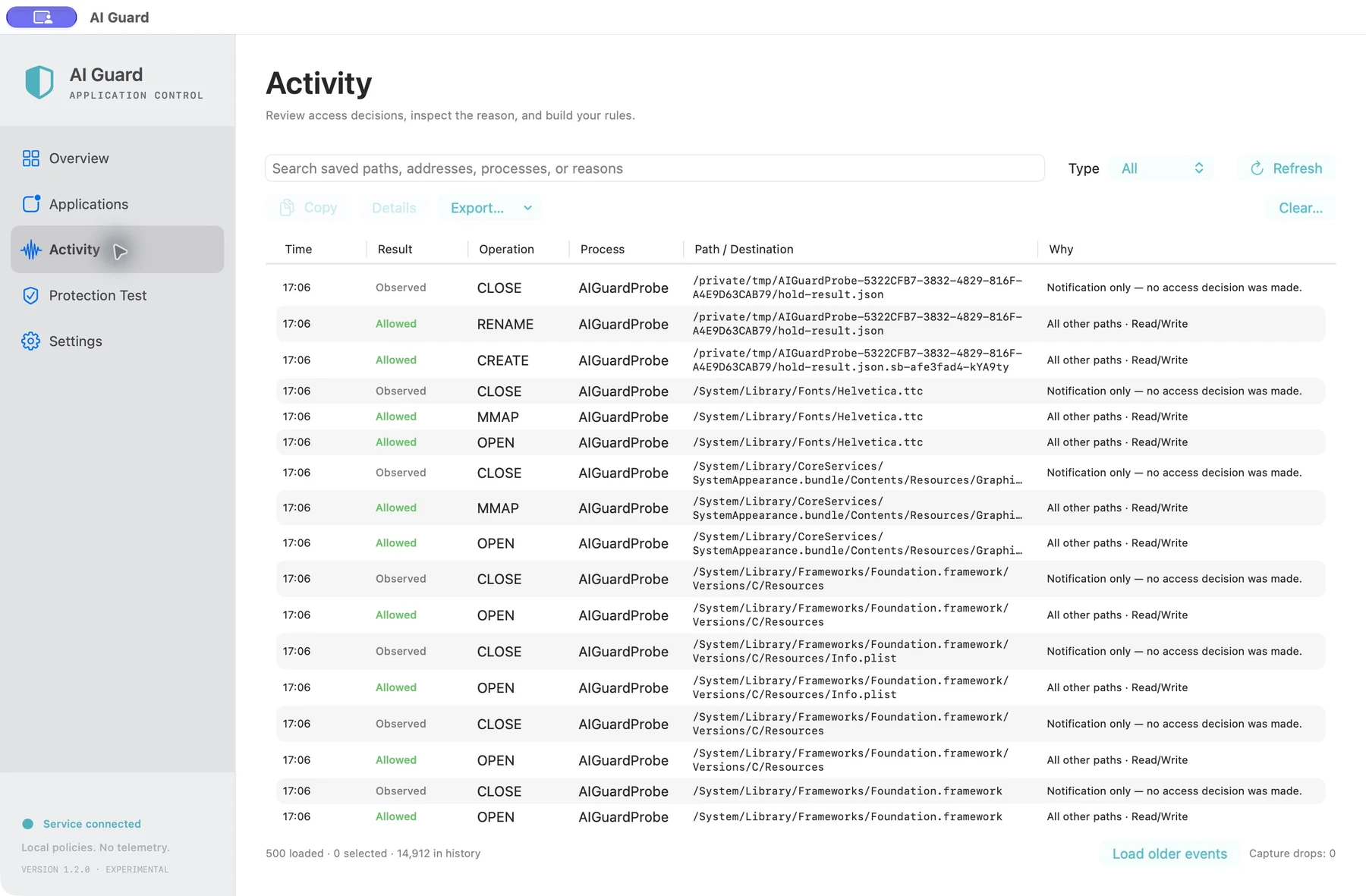
Use the activity journal to understand access decisions and refine your rules.
Application profiles and access policies are kept on the Mac. AI Guard does not upload model prompts or file contents to a developer service.
Local activity history can contain application identities, paths, endpoints, and access decisions. Treat diagnostic exports as private.
The application uses a privileged local service for access decisions. macOS permissions and the supplied build determine which integrations are available.
05 / Get started
This independent application is available on request. Tell me what you want to use it for and which device and OS version you have.
Request access ↗A question about the app?
Setup, everyday use, and a direct way to get help.
Help & support ↗Contact the developer ↗